
Quick start
You need Dawn installed, a video player, and a ticket for a channel. A ticket is a string that starts with dawn1.
1. Open Dawn
Section titled “1. Open Dawn”| System | Where to find Dawn |
|---|---|
| Windows | Start Dawn from the Start menu. The panel opens above the taskbar. |
| macOS | Click the sun in the menu bar. |
| Linux | Open Dawn from your application menu. |
2. Read the first-run notice
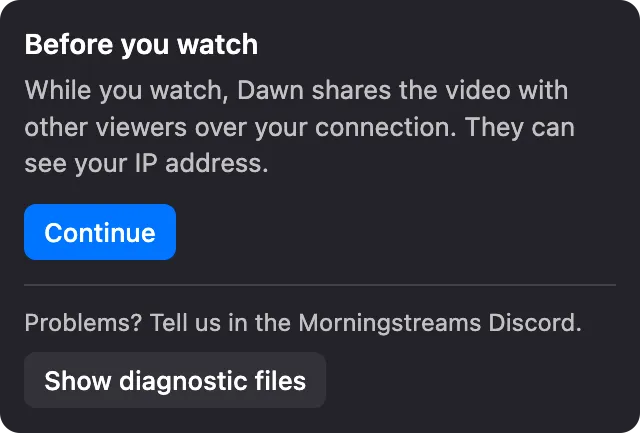
Section titled “2. Read the first-run notice”The first time you open Dawn, it shows a notice about sharing. Click Continue.
3. Paste your ticket
Section titled “3. Paste your ticket”Paste the ticket into Stream ticket and click Watch.
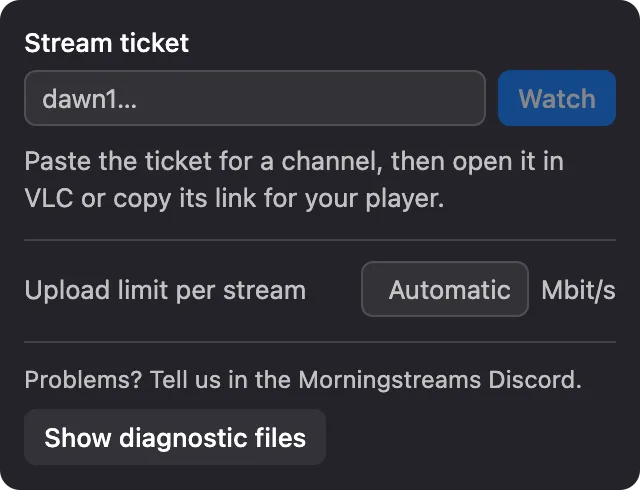
If you have a dawn:// link instead, click it and Dawn starts the stream.
4. Open the stream
Section titled “4. Open the stream”When the channel shows Live, click Open in VLC.
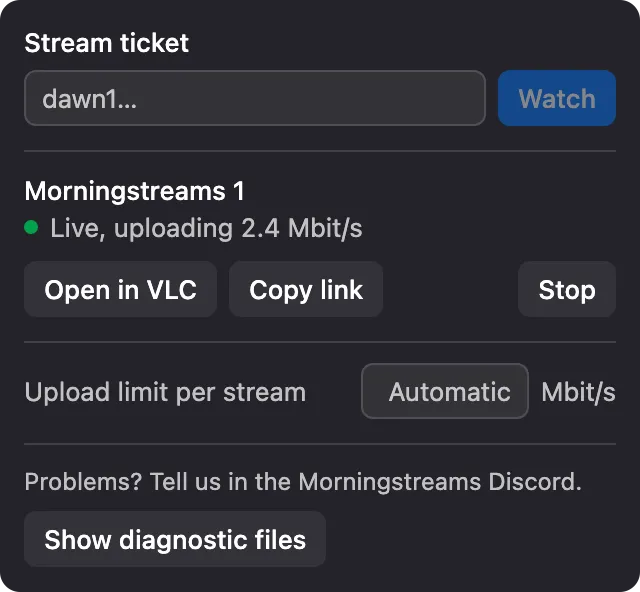
To use a different player, click Copy link and open the link there as a network stream.
If no player connects within about two minutes, Dawn stops the stream.
5. Stop watching
Section titled “5. Stop watching”Close your player and click Stop. If you only close the player, Dawn stops the stream after about two minutes.
See Watch a stream for the rest of what the panel does.